
Relight the shot.
Keep the frame.
Place up to three studio lights on portraits, 3D scenes and moving cutouts. Preview on your GPU in real time and export 16-bit RGBA composites or separate passes.
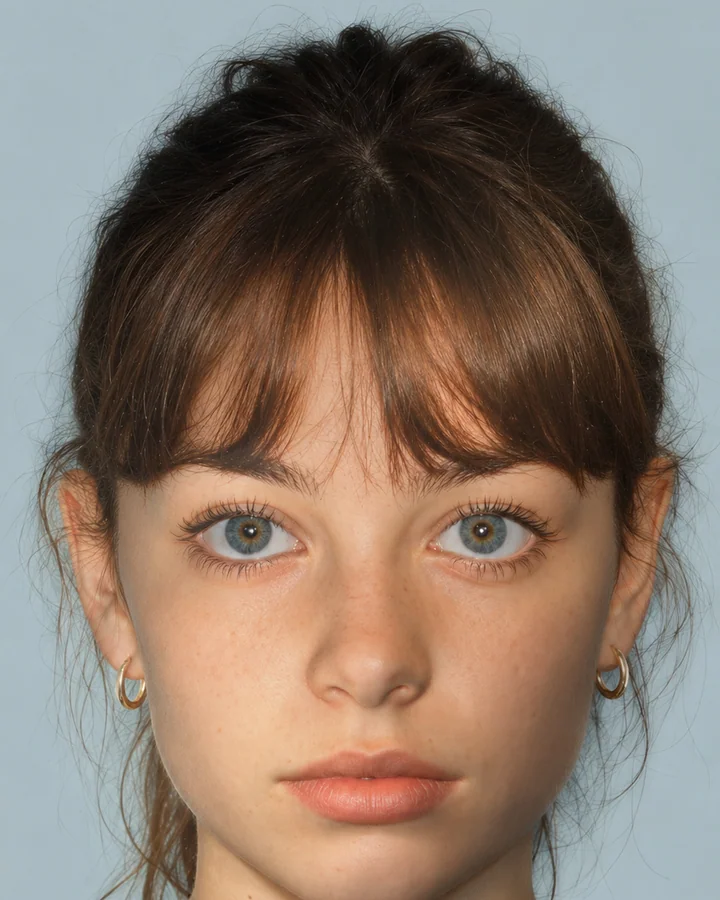
Drag across the portrait · Key X 0.11 Y 0.67 · Fill X 0.84 Y 0.26
Three engines built for real lighting.
Drag the split handle or use the Left and Right arrow keys to compare the source frame against actual NanoRelight output.


Portrait Studio
Two-pass WGSL studio shader with natural Skin Wrap subsurface scattering, bilateral 5×5 edge-aware denoising, eye catchlight preservation and anti-aliasing applied strictly to light passes—never blurring skin pores or freckles.
- Pipeline
- DA3 depth + DAViD normals & matte + YuNet eyes
- Controls
- Source size, fill, replace source light, roughness, eye guard
- Presets
- Split, Loop, Butterfly, Rembrandt, Rim
Inside the Beta 1 workroom.
A focused desktop studio written in Rust and WGSL. Every slider updates the viewport in milliseconds without uploading a single frame.
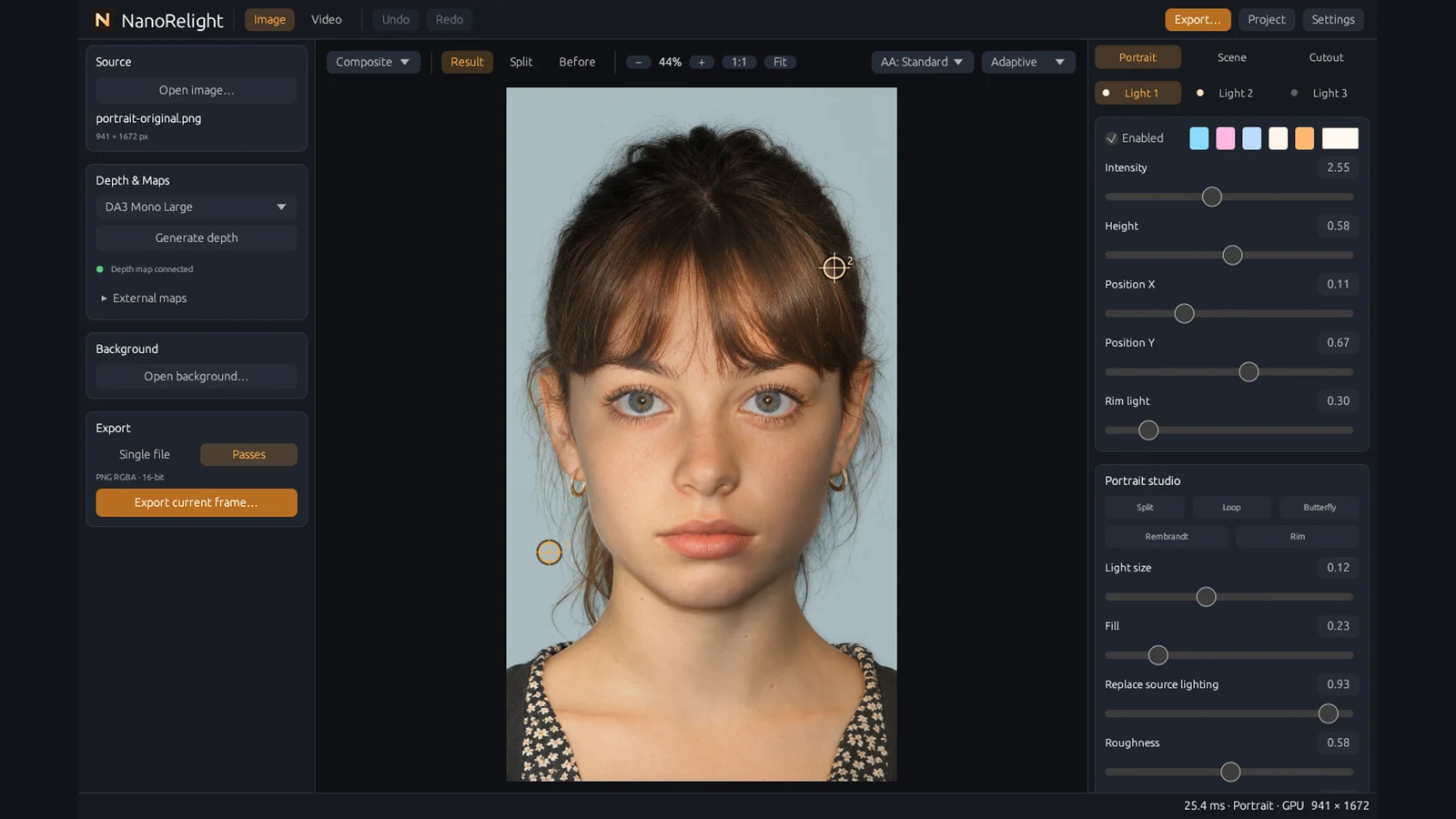
See one portrait through every pass and lighting rig in 61 seconds.
Every frame in the film comes directly from the NanoRelight CLI renderer and desktop workspace.
Every layer ready for your compositor.
Export a finished 16-bit PNG composite or unpack individual maps to grade, mask and relight inside After Effects, DaVinci Resolve, Photoshop, Nuke or Blender.
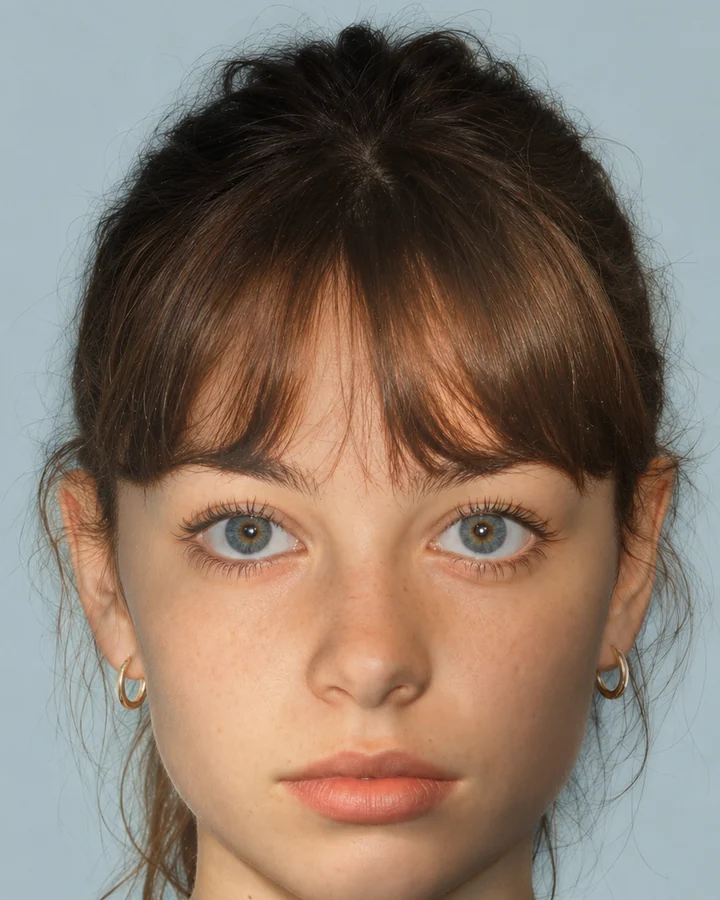
16-bit Composite
Normal · 16-bit RGBA PNG
Final tone-mapped studio render combining original skin texture, diffuse key/fill, GGX specular and eye catchlights.
Drop straight onto your timeline or layer stack with zero banding.
Local-first specifications.
No cloud queues, no render credits, and no account wall. Everything runs inside your Windows workstation.
- Privacy & execution
- 100% offline processing on your PC. Images, videos and .nanolight projects never leave your machine.
- Input formats
- PNG, JPG, EXR, TIFF, WebP, numbered image sequences and video files (via bundled FFmpeg LGPL v3).
- Output & export
- 16-bit RGBA PNG, numbered PNG sequences, separate render passes (composite, light, shadow, depth, normals) and portable .nanolight files.
- Compute & AI models
- WGSL GPU compute shaders + CUDA / DirectML ONNX Runtime with safe CPU fallback. Bundled models: DA3 Small, DA3 Mono Large, Video Depth Anything, DAViD & YuNet.
- System requirements
- Windows 10 (version 2004 or later) or Windows 11, x64. ~1.8 GB disk space (includes all offline models).
- Sample project
- Try the pipeline in the app with the NanoRelight sample project (.zip).
Questions & Beta 1 notes.
Is NanoRelight really a $9.99 one-time purchase?
Yes. Buying NanoRelight on the Microsoft Store gives you the standalone Windows desktop app with no recurring subscription, no watermarks and no render credits. Updates through Beta, RC and 1.0 are delivered through the Store.
Do I need a high-end NVIDIA GPU to run it?
No. Interactive lighting runs via WGSL compute shaders on modern GPUs (NVIDIA, AMD or Intel) and depth inference uses DirectML on Windows with an automatic CPU fallback. In Auto depth mode, systems with 15 GB+ RAM use DA3 Mono Large while lighter machines automatically switch to DA3 Small.
Why is the Microsoft Store package around 1.8 GB?
Because all neural depth, portrait normal, matting and eye-detection models—plus the LGPL v3 FFmpeg runtime—are bundled locally so you never have to download model weights at runtime or stay connected to the internet.
What is new in Beta 1?
Beta 1 introduces the two-pass WGSL studio engine (~17–22 ms GPU), bilateral edge-aware denoising, dynamic GPU mesh relief, depth-tinted atmospheric fog, light-only anti-aliasing (Edge AA & SSAA), hold-Space original comparison, split view and Undo/Redo.
Can I import my own depth or normal maps from Blender or 3D software?
Yes. Under Depth & Maps you can attach external depth maps, depth sequences and normal maps directly alongside local inference.
Can I use exported renders in commercial client work?
Yes. Everything you render or export is yours to use in commercial photography, film, motion graphics and VFX pipelines.
Own the light on your own machine.
$9.99 one-time on Microsoft Store · Windows 10 & 11 x64 · Beta 1